3D Printing vs CNC Machining
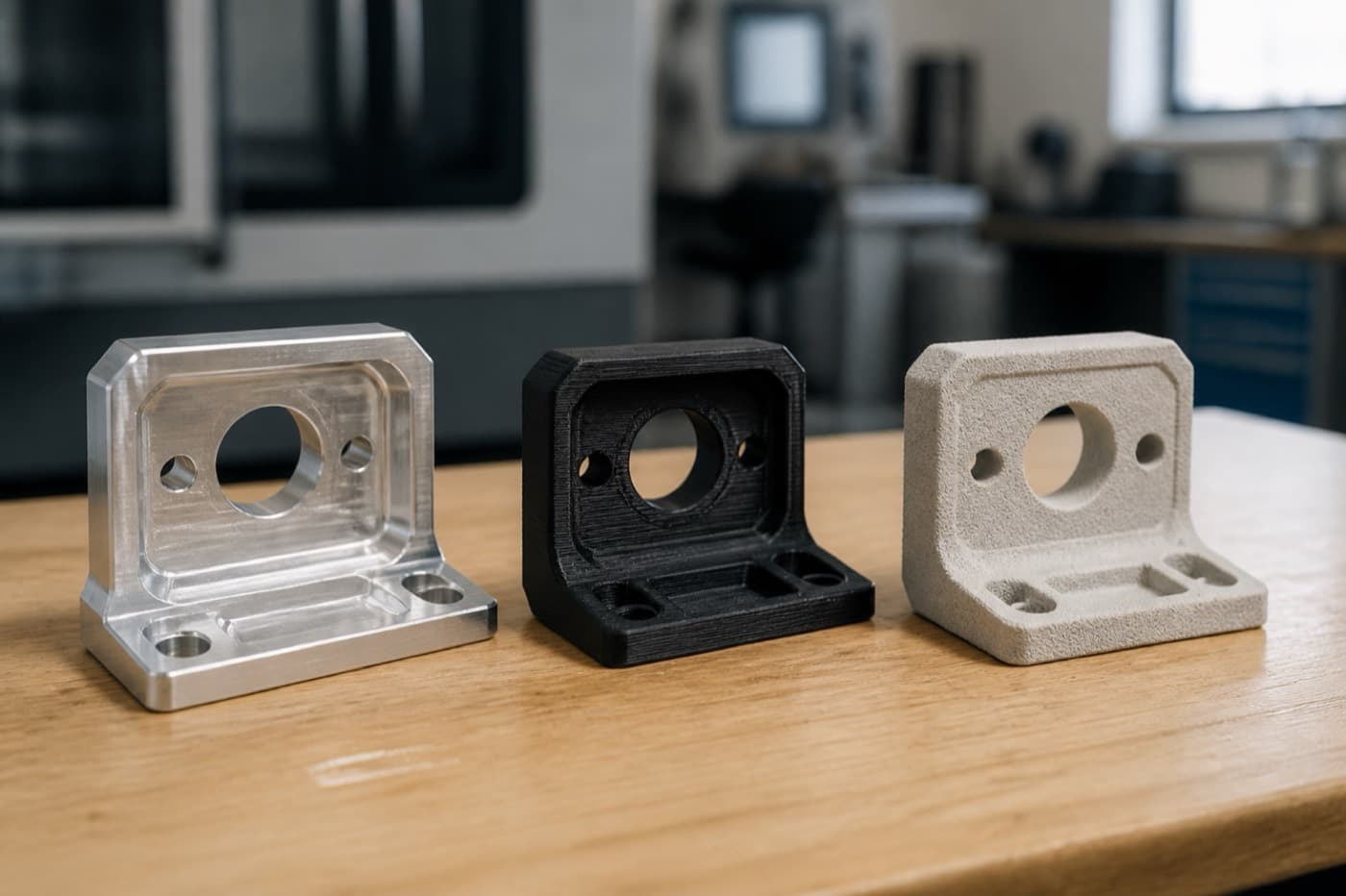
Choose CNC machining when you need tolerances tighter than ±0.005 in. (±0.127 mm), isotropic material properties, or production runs above 50–100 parts. Choose 3D printing for complex internal geometries, quantities under 50 units, or prototyping lead times of 1–5 days. Below we compare both processes across 8 engineering dimensions with real cost and tolerance data.
Why This Decision Matters
Every hardware program eventually hits the same fork: should this part be 3D-printed or CNC-machined? Get it wrong and you burn budget on tooling you didn't need - or ship parts that can't hold spec in the field. This guide gives you the engineering framework to make that call with confidence, backed by real cost curves drawn from production programs across automotive, medical, and consumer electronics.
Quick Cost Reality Check
Watch: Is 3D Printing Really Cheaper Than CNC Machining?
If you're deciding between a printed prototype and a machined first article, watch this 41-second Short first. The answer is usually yes for geometry-heavy one-offs and early iteration, then no once you need tighter tolerances, production material, or roughly 50-100 parts.
Process Fundamentals
Understand the core physics of subtractive vs. additive manufacturing - this determines when each process excels.
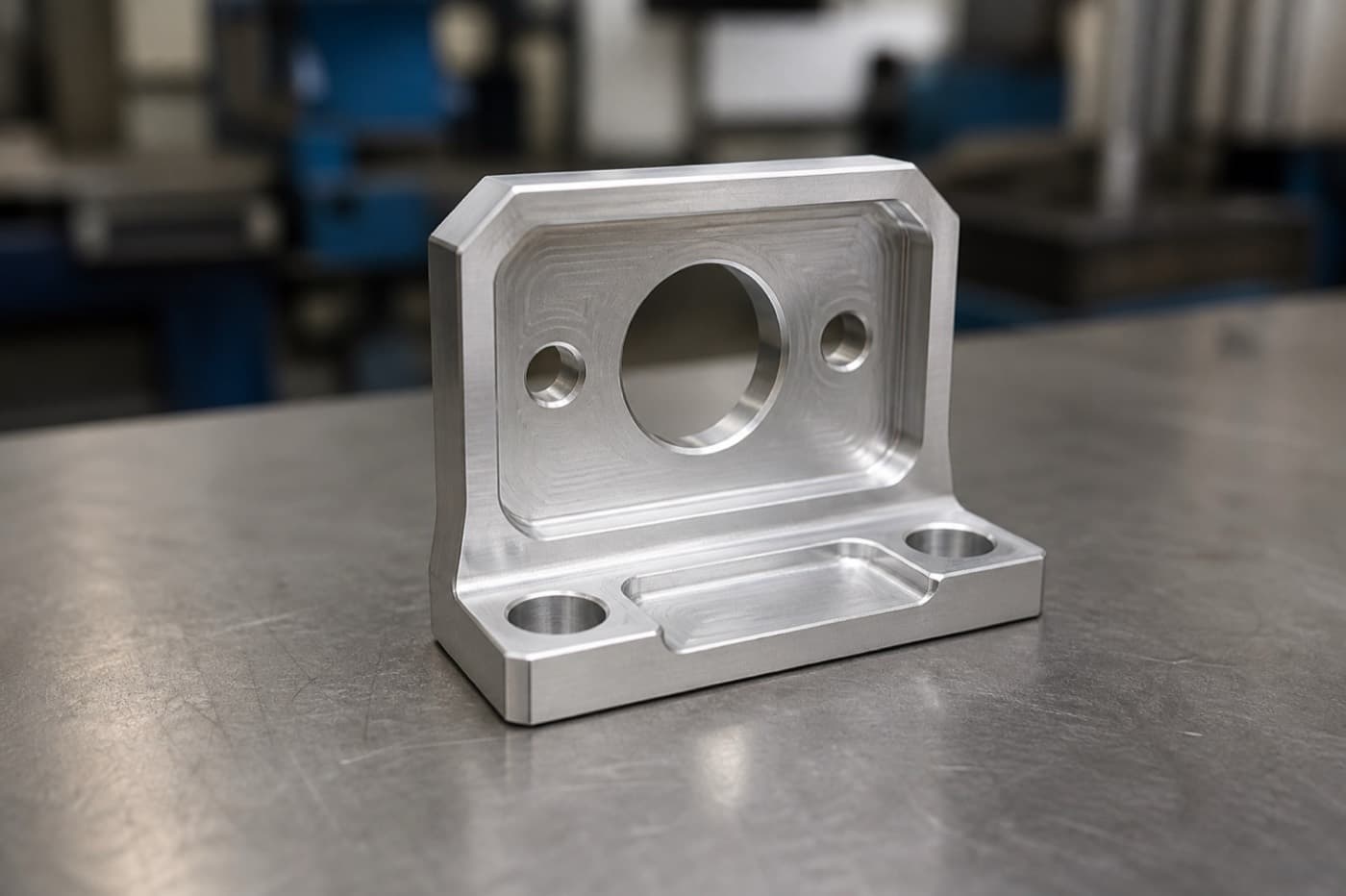
CNC machining is a subtractive process: a rotating cutter removes material from a solid billet. The part geometry is limited to what a tool can physically reach, but the resulting material properties are identical to wrought or cast stock because you're starting from fully-dense feedstock. 3D printing (additive manufacturing) builds parts layer-by-layer from powder, resin, or filament. Because each layer fuses to the one below it, you can produce internal channels, lattice structures, and organic shapes that no end-mill can reach. The trade-off is that layer-by-layer fusion introduces anisotropy - mechanical properties vary depending on build orientation.
| Attribute | CNC Machining | 3D Printing (FDM/SLS/SLA) |
|---|---|---|
| Material state | Wrought/cast billet - fully dense, isotropic | Fused layers - anisotropic, 5–15% weaker in Z |
| Geometry freedom | Limited by tool access; 3-axis typical, 5-axis expands reach | Near-unlimited; internal channels, lattice, overhangs OK |
| Support structures | N/A - stock itself is the support | Required for overhangs >45° (FDM/SLA); self-supporting powder bed (SLS/MJF) |
| Minimum wall thickness | ~0.5 mm (limited by tool deflection) | 0.4–1.0 mm depending on process |
| Surface finish (as-built) | 32–125 Ra µin (0.8–3.2 µm) | 50–500 Ra µin (1.3–13 µm) varies by process |
Pro Tip
When evaluating geometry complexity, ask: "Can a ball-end mill physically reach every surface?" If not, 3D printing is likely your better option.
Tolerances & Accuracy
If your print specifies ±0.001″ on a mating bore, 3D printing alone won't get you there - not without secondary machining.
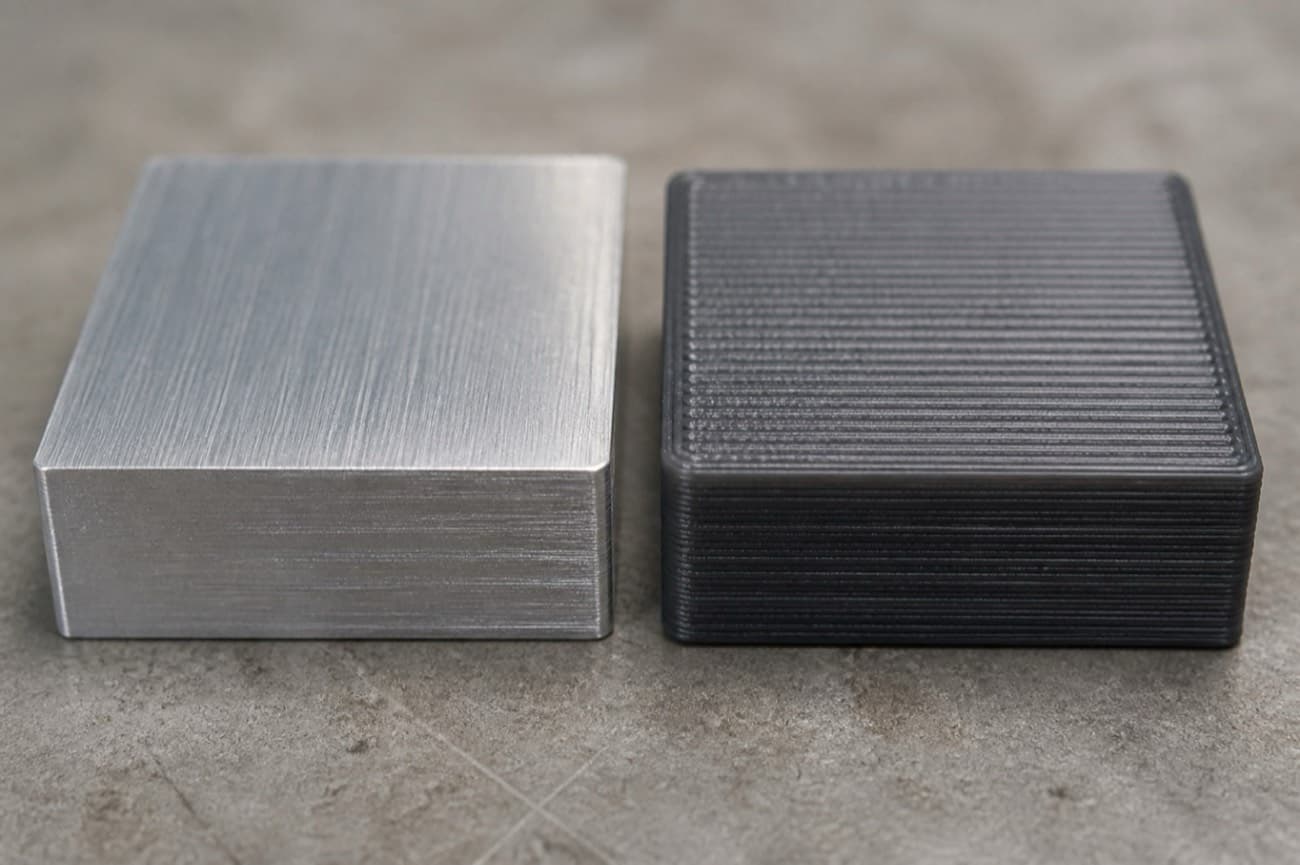
Tolerances and dimensional accuracy are the top cost drivers after material. Here's how the two processes compare on achievable tolerances:
| Process | Standard Tolerance | Best Achievable | Notes |
|---|---|---|---|
| CNC Milling (3-axis) | ±0.005″ (±0.13 mm) | ±0.0005″ (±0.013 mm) | Grinding/lapping for ultra-precision |
| CNC Turning | ±0.003″ (±0.08 mm) | ±0.0005″ (±0.013 mm) | Swiss-type lathes excel at small diameters |
| SLA (Resin) | ±0.005″ (±0.13 mm) | ±0.002″ (±0.05 mm) | Best accuracy among AM processes; brittle materials |
| SLS (Nylon Powder) | ±0.010″ (±0.25 mm) | ±0.005″ (±0.13 mm) | Warpage increases with part length |
| FDM (Thermoplastic) | ±0.010″ (±0.25 mm) | ±0.005″ (±0.13 mm) | Layer lines visible; poor Z-accuracy |
| DMLS/SLM (Metal) | ±0.004″ (±0.10 mm) | ±0.002″ (±0.05 mm) | Stress relief and post-machining often required |
Pro Tip
Rule of thumb: If any critical feature requires tolerances tighter than ±0.005″, CNC machining is your primary process. You can combine processes - print the complex body, then machine the mating interfaces.
Cost Crossover
Cost comparison isn't one-dimensional. Account for NRE (non-recurring engineering), unit cost, and total program cost.
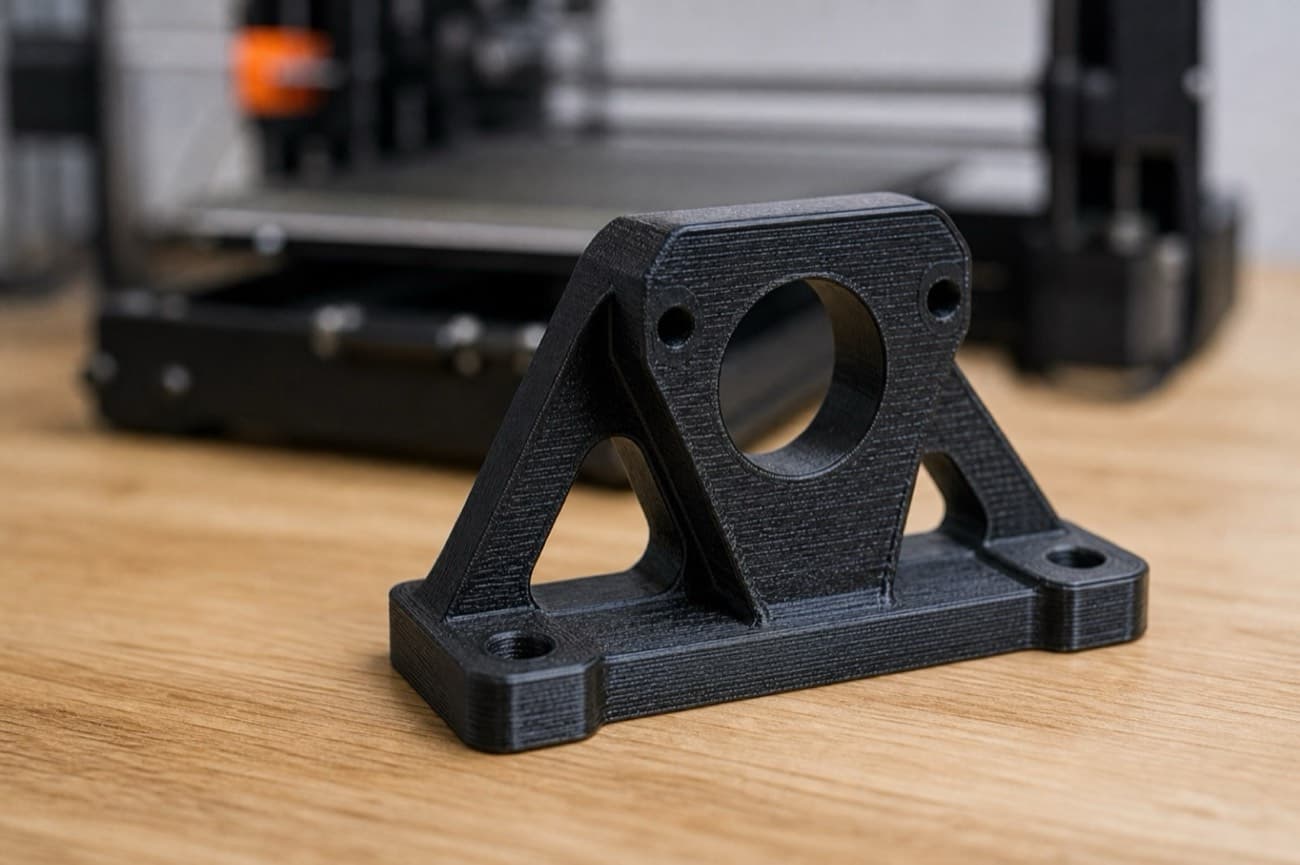
The crossover point for a typical palm-sized part (fits in a 6″ × 6″ × 3″ envelope) is ~50–100 units. Below that, 3D printing wins on NRE alone because there's no programming, fixturing, or tool selection. Above that, CNC machining's marginal cost advantage compounds.
| Volume | 3D Printing (SLS Nylon) | CNC Machining (Al 6061) | Winner |
|---|---|---|---|
| 1–5 parts | $15–$80/part | $75–$300/part | 3D Printing |
| 10–25 parts | $12–$60/part | $40–$150/part | 3D Printing |
| 50–100 parts | $10–$50/part | $20–$60/part | Depends on geometry |
| 250+ parts | $10–$45/part (linear scaling) | $8–$30/part (setup amortized) | CNC Machining |
| 1,000+ parts | $8–$40/part (no economy of scale) | $3–$15/part | CNC Machining |
CNC setup charges
First-article runs include CAM programming ($150–$500), fixture design, and tool selection. This NRE amortizes across volume.
AM post-processing
SLA parts need UV curing and support removal. SLS parts need depowdering, bead blasting, and optional dyeing. Budget 15–30% on top of raw print cost.
Material waste
CNC material utilization for complex parts can be as low as 10% — meaning 90% scrap. AM wastes only support material — typically 5–15% of part mass.
Lead time cost
If being 2 weeks late delays a $500K product launch, the most cost-effective process may be the one with the shortest lead time.
Pro Tip
Always quote both processes for pilot runs (50–100 units) - this is the crossover zone where geometry complexity determines the winner.
Material Universe
CNC machining can cut virtually any machinable material. 3D printing's library has expanded dramatically but remains a subset.
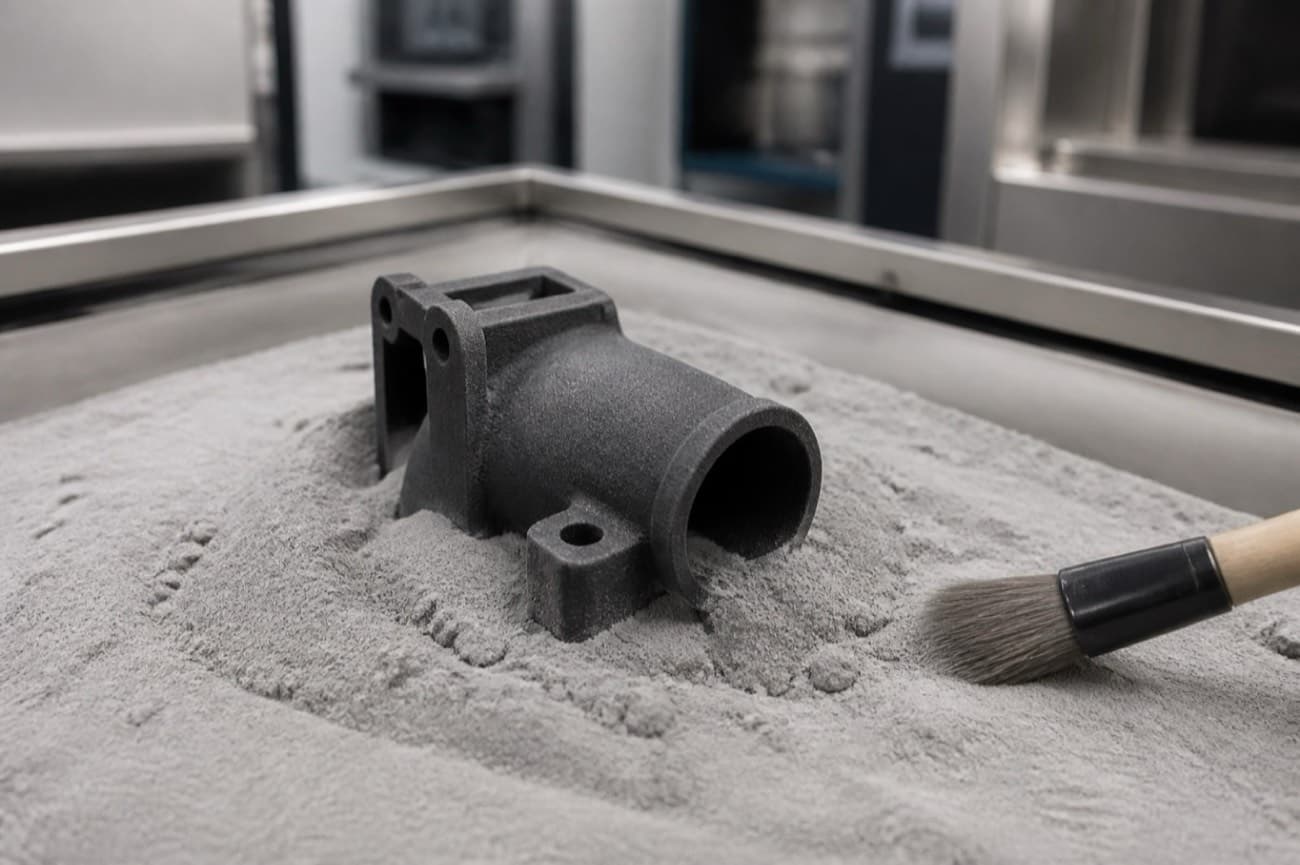
If your design requires a specific alloy temper (e.g., 7075-T6 for high strength-to-weight), CNC is the only path. DMLS metals achieve >99% density but microstructure and temper differ from wrought equivalents - always verify material certs against your spec.
| Material Class | CNC Options | 3D Printing Options |
|---|---|---|
| Aluminum alloys | 6061, 7075, 2024, 5052, MIC-6 cast plate | AlSi10Mg (DMLS) - limited alloy selection |
| Stainless steel | 303, 304, 316L, 17-4 PH, 15-5 PH | 316L, 17-4 PH (DMLS) |
| Titanium | Ti-6Al-4V (Grade 5), CP Grade 2 | Ti-6Al-4V (DMLS/EBM) |
| Engineering plastics | PEEK, POM (Delrin), Nylon 6/6, UHMWPE, PTFE, ABS, PC | Nylon PA12 (SLS), ABS-like (SLA), PEEK (FDM - limited) |
| Elastomers | Not machinable (injection molding instead) | TPU (FDM/SLS), flexible resins (SLA) |
| Superalloys | Inconel 625/718, Hastelloy, Monel | Inconel 625/718 (DMLS) - expensive, slow |
Pro Tip
For prototypes, SLS Nylon PA12 is the workhorse - it's tough, dimensionally stable, and cost-effective. For production-representative material testing, switch to CNC with your target alloy.
Lead Time
3D printing dominates at low volume because there's zero setup time - you upload the STL and the printer starts.
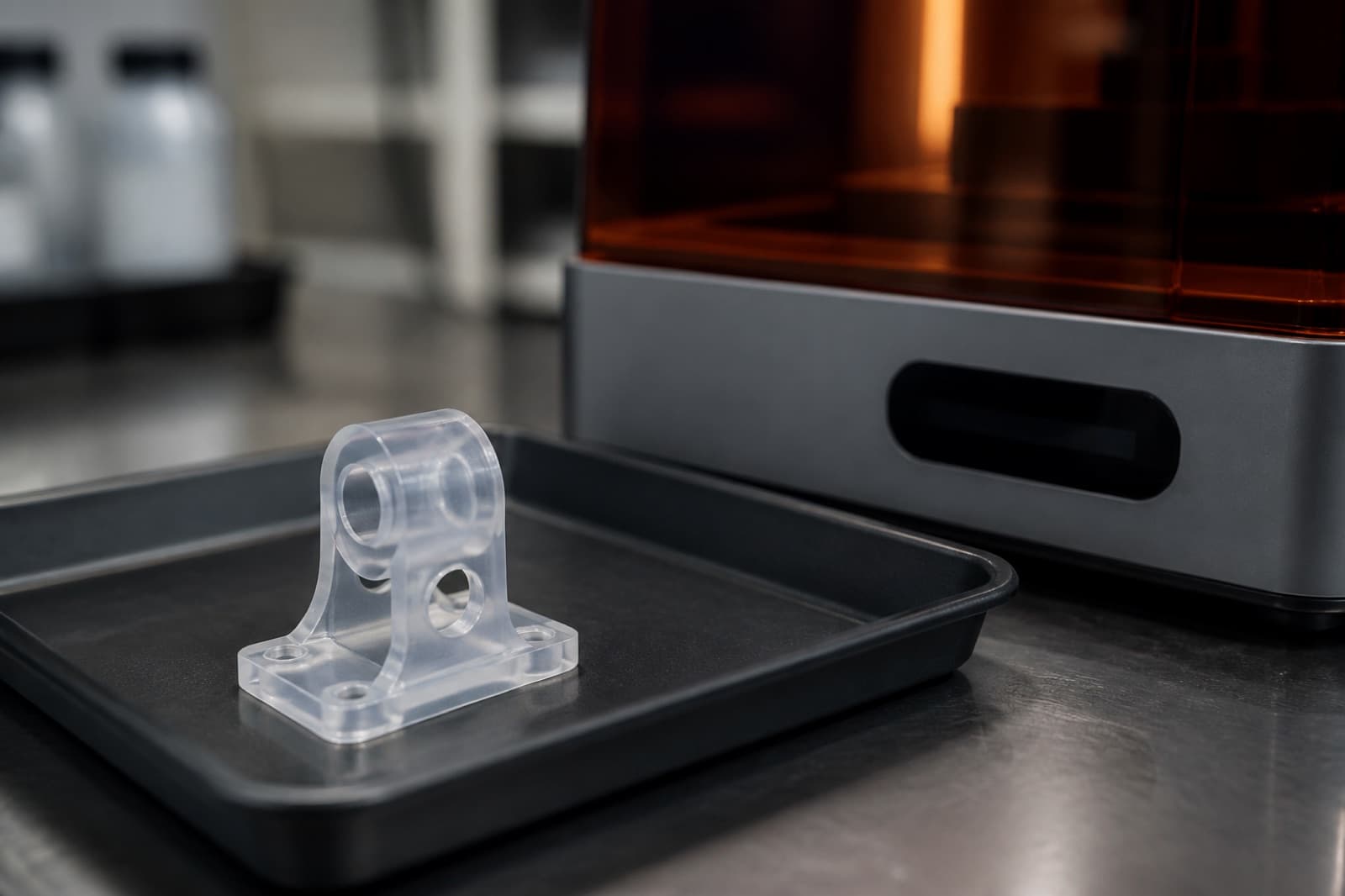
CNC catches up at higher volumes because once the program is proven, spindle time per part is minutes, not hours.
| Scenario | 3D Printing | CNC Machining |
|---|---|---|
| Single prototype | 1–3 business days | 3–7 business days |
| 10 prototypes | 2–5 business days | 5–10 business days |
| 100 production parts | 5–10 business days | 7–15 business days |
| 1,000 production parts | 10–20 business days (print farm) | 10–15 business days (multi-spindle) |
Pro Tip
Need parts fast? Desktop SLA/FDM printers can often turn functional prototypes overnight. For metal, expedited CNC (typically 3-day) adds 30–50% but can beat 2-week DMLS lead times.
Decision Matrix
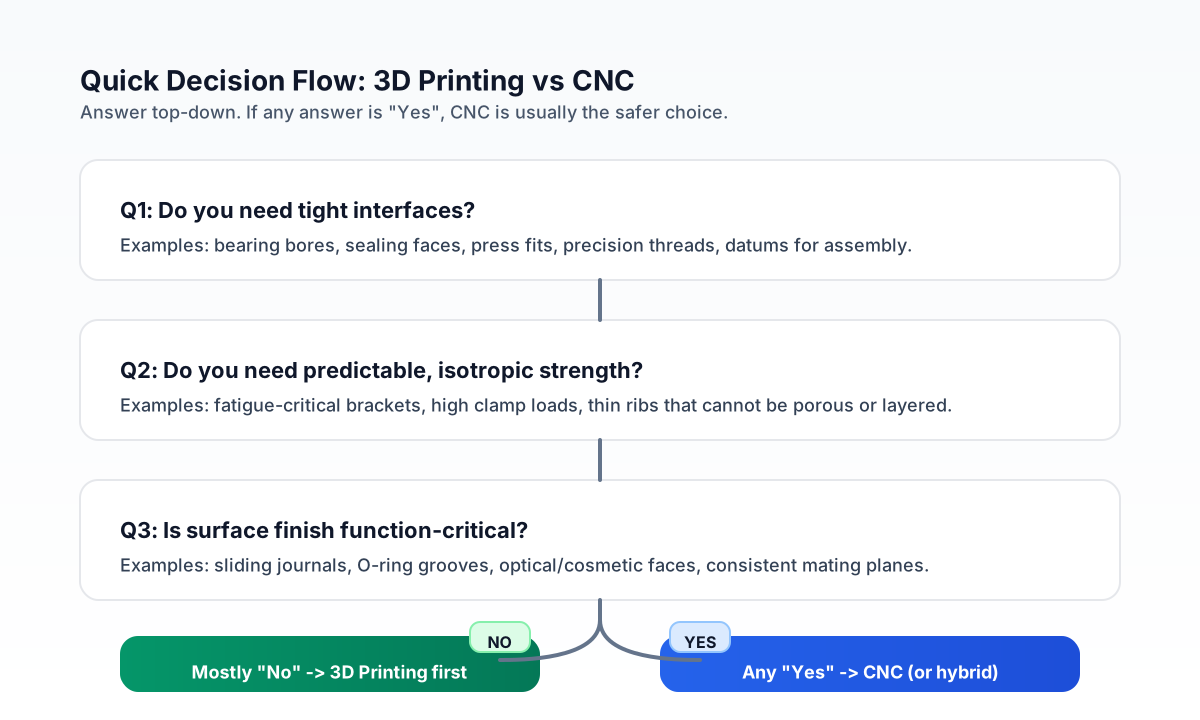
Use this matrix to quickly determine which process fits your requirements. Each factor has a clear winner.
| Factor | Choose 3D Printing If… | Choose CNC Machining If… |
|---|---|---|
| Geometry | Internal channels, lattice, organic forms, undercuts | Prismatic shapes, threads, tight-tolerance bores |
| Tolerances | ±0.005″ or looser is acceptable | Any feature tighter than ±0.005″ |
| Surface finish | Cosmetic is secondary (functional prototypes) | Class A surfaces, sealing faces, bearing journals |
| Material | Standard nylon, resin, or AlSi10Mg works | Specific alloy/temper required (7075-T6, 17-4 PH H900) |
| Volume | 1–50 parts | 50+ parts (cost crossover) |
| Timeline | Need parts in 1–5 days | Can wait 5–10 days for first article |
| Load-bearing | Low-to-moderate loads; Z-axis anisotropy acceptable | High structural loads; isotropic properties required |
Pro Tip
When in doubt, quote both processes and compare total program cost across your expected lifecycle volume - not just the per-part unit price.
Hybrid Approach
The most sophisticated programs combine both processes. Print + machine gives you the best of both worlds.
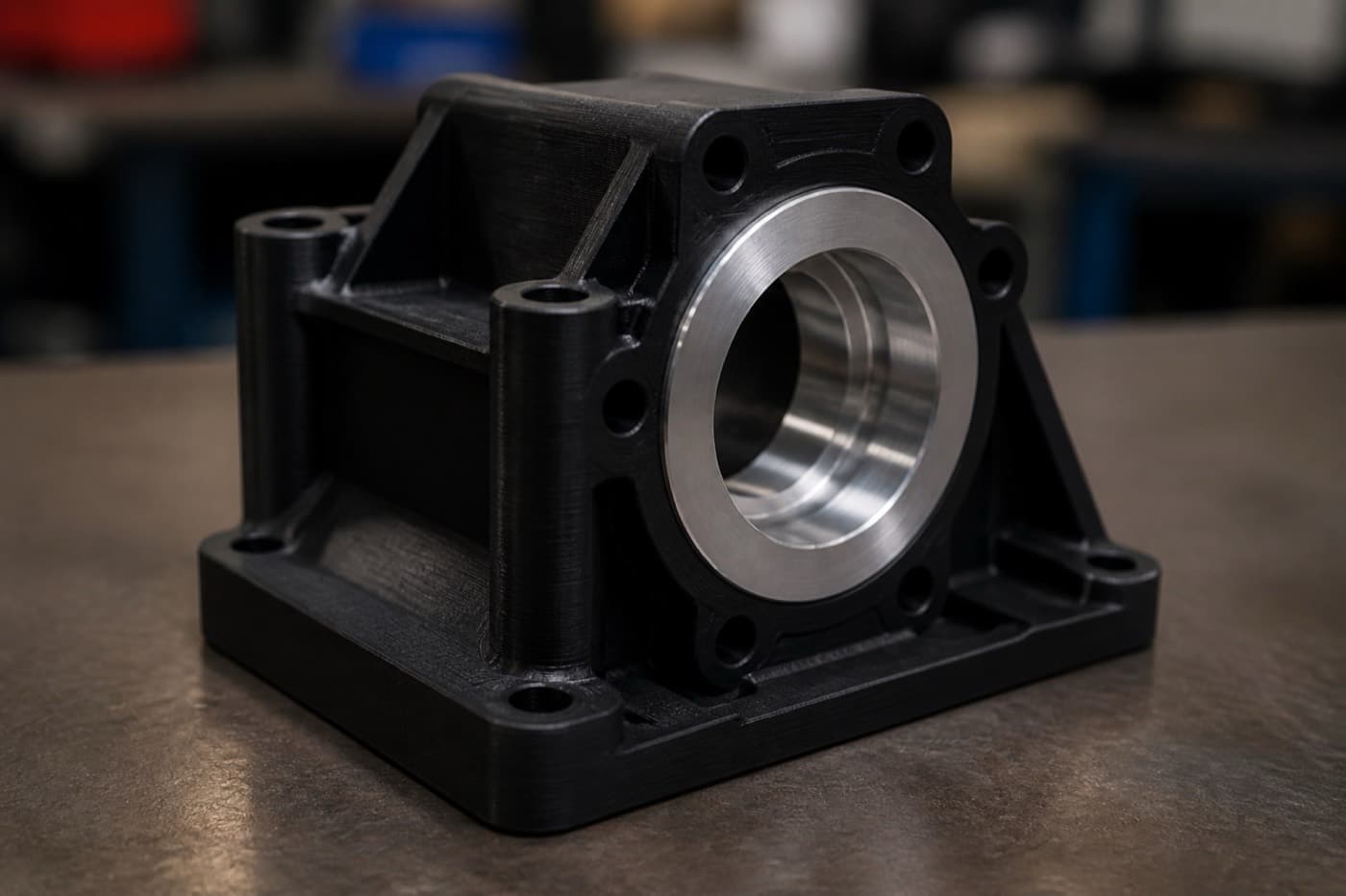
When quoting hybrid work, specify which features are as-printed vs. post-machined on your drawing. Callout datums on the printed body that the machine shop will reference - this avoids datum-transfer errors and unnecessary tolerance stack-ups.
Print the body, machine the interfaces
Print a complex housing in SLS nylon or DMLS aluminum, then CNC-finish the mounting faces and bores to ±0.001″.
Conformal cooling channels in mold tooling
DMLS-printed mold inserts with internal cooling channels can cut cycle time by up to 20–40% vs. gun-drilled straight channels.
Rapid fixturing
3D-print custom fixtures and soft jaws in-house, then machine production parts faster because work-holding is dialed in.
Pro Tip
Hybrid parts often have the best total value: AM for geometric complexity + CNC for precision interfaces. Budget 20–30% extra for fixturing and datum setup.
Common Mistakes
Avoid these pitfalls that burn budget and delay schedules. Each mistake has real cost implications.
Specifying tight tolerances on printed features
If you call out ±0.001″ on an SLS part, the vendor will either reject the drawing or quote secondary machining. Be explicit about which features need what tolerance class.
Ignoring build orientation
A 3D-printed part's mechanical properties depend on how it was oriented in the machine. If the part is load-bearing, specify the critical load axis relative to the build plate in your notes.
Assuming CNC = expensive for one-offs
With modern quoting platforms, a simple aluminum bracket can cost $30–$50 machined in 5 business days. Don't default to 3D printing just because "it's for a prototype."
Over-designing for AM
Lattice structures and topology-optimized shapes look impressive in the slicer preview, but ask: does the weight savings justify the engineering time? For non-weight-critical assemblies, a simple prismatic design machined from billet is faster to detail, inspect, and iterate.
Forgetting post-processing
SLA parts warp without proper UV post-cure. SLS parts need bead blasting to remove residual powder. Metal AM parts need stress relief before removal from the build plate. Budget time and cost accordingly.
Pro Tip
Create a "process requirements" checklist on your drawing title block: tolerance class, surface finish, material cert, and inspection level. This prevents assumptions from creeping in.
Conclusion
There is no universal winner between 3D printing and CNC machining. The right answer depends on your geometry complexity, tolerance requirements, material needs, volume, and timeline. For most hardware programs:
Early Prototyping (EVT/DVT)
Default to 3D printing for fit-checks and design iteration. It's faster, cheaper at low volumes, and tolerant of design changes.
Functional Prototypes & Pilot Runs
Switch to CNC when you need production-representative material properties, tight tolerances, or specific alloy callouts.
Production (100+ units)
CNC machining (or injection molding for plastics) almost always wins above 100–250 units on cost per part.
When in doubt, quote both processes and compare total program cost across your expected lifecycle volume - not just the per-part unit price.
Frequently Asked Questions
Related Resources
Ready to Manufacture Your Parts?
Upload your CAD file to get engineer-reviewed pricing typically within one business day. CNC machining and 3D printing paths can then be compared for tolerance, material, and volume fit before production.
Compare Manufacturing Quotes