DFM Best Practices to Reduce Costs
15 DFM best practices with specific numbers for CNC, injection molding, sheet metal, and 3D printing. These design rules can reduce manufacturing costs by 20–30% when they remove avoidable setups, tooling complexity, or over-tolerancing.
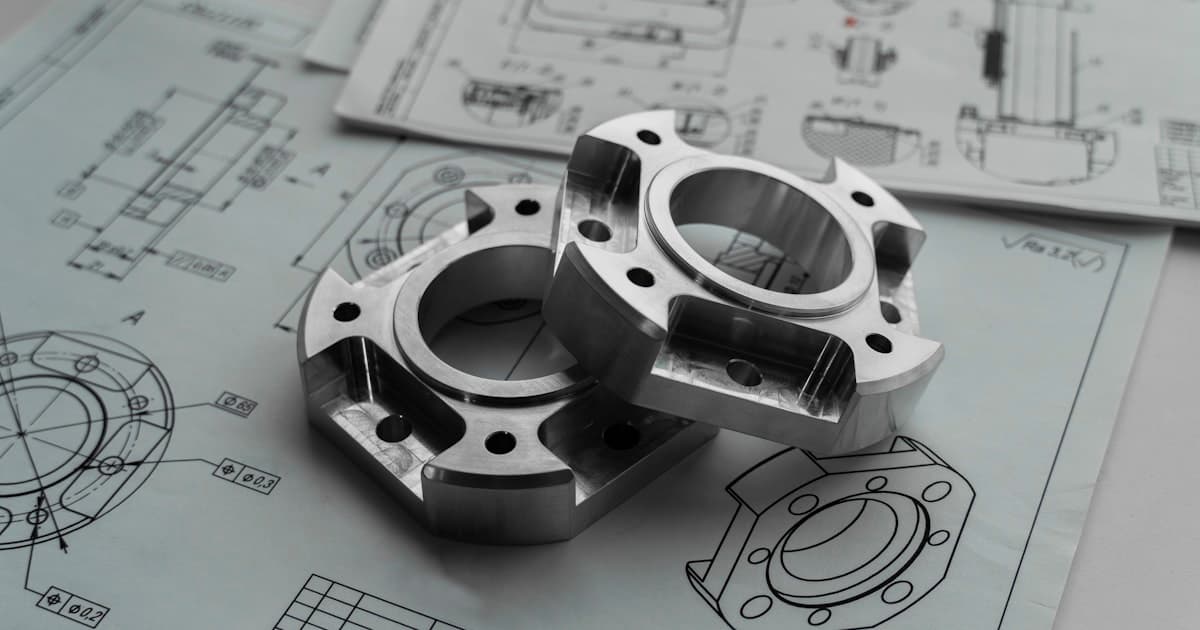
Why DFM Matters: 70–80% of Cost Is Locked in Design
Design for Manufacturing (DFM) is the practice of designing parts so they can be produced consistently, at the lowest possible cost, with the fewest manufacturing issues. It is not an afterthought - it's a concurrent engineering discipline that should start in the concept phase and stay active through production release. The numbers are striking: 70–80% of manufacturing cost is locked in during the design phase. By the time a drawing is released, most cost-reduction opportunities are gone. The 15 practices below address the most common (and expensive) DFM violations we see across CNC machining, 3D printing, sheet metal, and injection molding programs.
Tolerances & Features
The first three practices address tolerances, corner radii, and pocket geometry - the biggest cost drivers in CNC machining.
Specify Only the Tolerances You Need
Over-tolerancing is the single largest cost driver in CNC machining. Moving from a standard ±0.005″ (±0.13 mm) tolerance to ±0.001″ (±0.025 mm) can increase per-feature cost by 40–80% due to slower feed rates, additional inspection, and tighter environmental controls.
Best practice: Apply tight tolerances only to mating surfaces, bearing fits, and sealing interfaces. Leave all other features at standard machining tolerance. Use GD&T (ASME Y14.5) to communicate functional intent - it gives the shop flexibility on how to hold spec, which usually means lower cost.
Add Internal Corner Radii
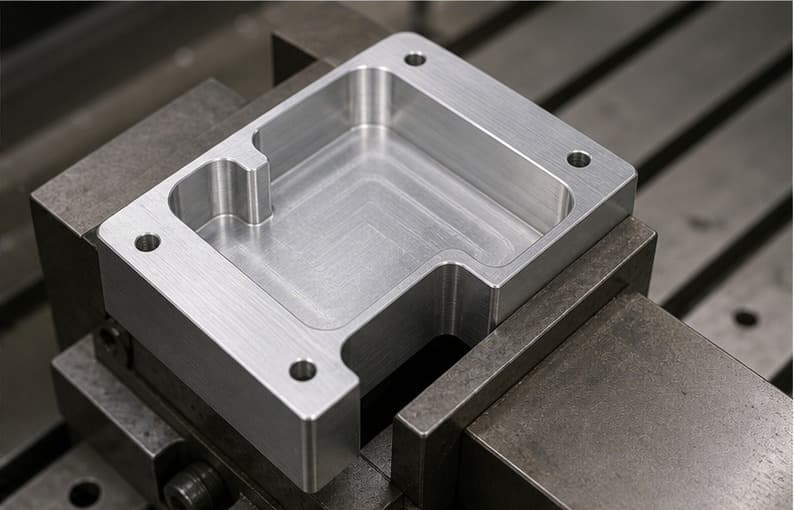
Internal sharp corners cannot be produced with a standard rotating end-mill. The minimum achievable internal radius equals the tool radius, but the recommended radius is at least 130% of the tool radius to reduce chatter and improve tool life — roughly 5/32″ (4 mm) for a 1/4″-diameter end mill. Specifying a 0.000″ corner radius forces the shop to use EDM or a very small tool at dramatically slower speeds.
Best practice: Set internal corner radii ≥ 1/3 of the pocket depth. For a 1″-deep pocket, use at least a 0.33″ radius. This allows a standard 3/4″-diameter end mill to clear the corner in a single pass at full depth, cutting cycle time 30–50%.
Limit Pocket Depth-to-Width Ratio
Deep, narrow pockets require long-reach tools that deflect under cutting load. Tool deflection degrades surface finish, causes chatter, and can break the tool entirely.
Best practice: Keep pocket depth ≤ 4× the pocket width. For a 0.5″-wide slot, maximum depth should be 2″. Beyond 4:1, expect 20–40% cost increases and surface finish degradation from reduced feed rates and light stepper passes.
Pro Tip
Rule of thumb: If you apply tight tolerances (±0.001″) to more than 20% of your features, you’re over-tolerancing. Target 5–10% of features at tight tolerance, and leave the rest at standard ±0.005″.
Wall & Material
Wall thickness, hole standardization, and thread selection directly impact tooling cost and lead time across all processes.
Avoid Thin Walls
Thin walls vibrate during machining (chatter), distort under clamping, and warp during heat treatment. They also crack easily during injection molding due to uneven cooling.
What goes wrong: A 0.030 in. (0.76 mm) aluminum wall on a 3 in. span deflects visibly under cutting force. The tool chatters, leaving a scalloped surface (Ra 250+ μin.) and dimensional variation of ±0.010–0.015 in. The machinist slows the feed rate by 80%, quadrupling cycle time. In injection molding, thin sections cool before thick sections fill — causing short shots, sink marks, and warpage.
Standardize Hole Sizes
Every unique hole diameter requires a tool change. A part with 12 different hole sizes needs 12 tools staged in the magazine - that means 12 tool-change cycles at ~15 seconds each, plus 12 tools tied up per setup.
Best practice: Consolidate to 2–3 standard drill sizes per part. Use standard fractional (1/8″, 3/16″, 1/4″) or metric (3 mm, 4 mm, 5 mm) sizes. Custom reamers for precision bores are fine - just limit them to the features that actually require H7 fits.
Use Standard Thread Sizes
Non-standard threads require custom taps, which are expensive and have long lead times. Stick with UNC/UNF series (imperial) or ISO metric coarse (M3, M4, M5, M6, M8, M10). Avoid pipe threads (NPT) on machined parts unless the application specifically requires them - use O-ring boss (SAE J1926) instead for superior sealing.
Best practice: Specify internal thread (tapped hole) engagement of 1.5–2× the nominal diameter in aluminum, 1–1.5× in steel. Deeper threads don't add meaningful pull-out strength and risk tap breakage.
Minimum Wall Thickness — CNC, Sheet Metal, and 3D Printing (injection-molding wall thickness lives in the Molding & Casting section below)
| Process | Minimum Wall Thickness | Recommended |
|---|---|---|
| CNC (metals) | 0.5 mm (0.020″) | ≥ 0.8 mm (0.032″) |
| CNC (plastics) | 1.0 mm (0.040″) | ≥ 1.5 mm (0.060″) |
| Sheet metal (aluminum) | 0.5 mm (22 ga.) | 0.8–3.0 mm depending on span |
| 3D printing (SLS) | 0.7 mm | ≥ 1.0 mm |
Pro Tip
Consolidate hole sizes early in design. A part with 2–3 standard drill sizes instead of 12 unique sizes can save $5–10 per part in tool-change time alone.
Molding & Casting
Injection molding and die casting have unique DFM rules around wall uniformity and draft angles that directly impact yield and tool life.
Design Injection-Molded Parts with Uniform Wall Thickness
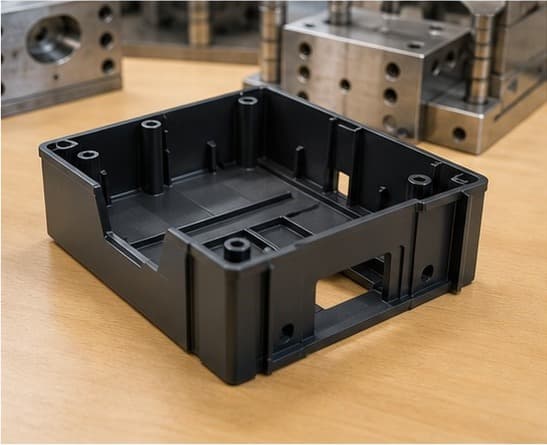
Uneven wall thickness in injection-molded parts causes differential cooling, which leads to sink marks, warpage, and internal voids. The general rule: maintain ±10% wall-thickness uniformity across the part. Typical injection-molded wall thickness is 1.2–3.0 mm (0.047–0.118 in.), with a 0.5 mm absolute minimum. That is a separate constraint from the CNC / sheet-metal / 3D-printing rule earlier in this guide because molding physics (flow length, gate pressure, cooling time) drives a different minimum than subtractive or additive processes.
Best practice: When you must transition between thick and thin sections, use a gradual taper (3:1 slope) rather than an abrupt step. Core out thick bosses so the wall thickness matches the surrounding nominal wall.
Add Draft Angles for Molded and Cast Parts
Without draft, molded parts stick in the mold, and cast parts stick in the pattern. This causes ejection damage, increases cycle time, and shortens tool life.
What goes wrong: A zero-draft wall on an injection-molded part creates vacuum suction on the core during ejection. The ejector pins push against the unsupported part wall, leaving visible pin marks, whitening (stress marks), or cracking. Over 1,000 cycles, the friction wears the mold steel — requiring polishing or re-cutting at $2,000–$5,000 per repair. Adding 1° of draft during design is free; fixing it after the mold is cut costs $3,000–$10,000 in mold modification.
Draft Angle Requirements
| Application | Minimum Draft | Recommended |
|---|---|---|
| Injection molding (untextured) | 0.5° | 1.0–2.0° |
| Injection molding (textured) | 1.0° + 1.0° per 0.001″ texture depth | 3.0–5.0° |
| Die casting | 1.0° | 2.0–3.0° |
| Sheet metal (formed walls) | N/A (use bend radii instead) | - |
Pro Tip
For textured surfaces, always add 1.0° of draft per 0.001″ of texture depth on top of your base draft. Forgetting this is the #1 cause of ejection marks on cosmetic molded parts.
Sheet Metal
Sheet metal bend radii and feature-to-bend clearances are critical to avoid cracking and tearing - here are the numbers.
Use Standard Sheet Metal Bend Radii
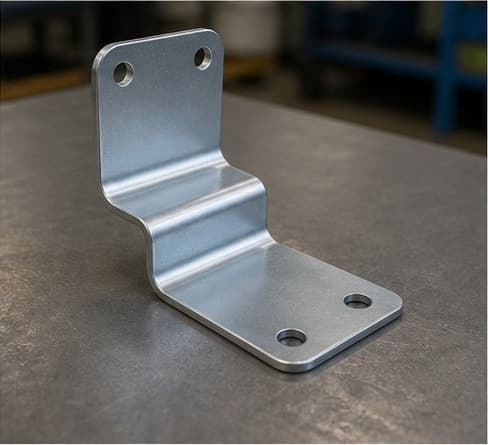
The minimum bend radius for sheet metal depends on material type, thickness, and grain direction. Going below the minimum causes cracking on the outside of the bend.
Best practice: For aluminum (5052-H32), minimum inside bend radius = 1× material thickness. For stainless steel (304), minimum = 1.5× thickness. For mild steel (A36), minimum = 0.5× thickness. Always bend perpendicular to the rolling direction when possible - this gives the best ductility at the bend line.
Keep Bend-to-Edge Distance ≥ 4× Material Thickness
If a bend line is too close to a part edge or a hole, the material will deform or tear. Maintain a minimum distance of 4× the sheet thickness from any bend line to the nearest feature (hole, slot, or edge).
Best practice: Example: For 1.5 mm (0.060″) sheet, the nearest hole center should be ≥ 6 mm (0.24″) from the inside of the bend.
Pro Tip
Always bend perpendicular to the rolling direction when possible. If you must bend parallel to grain, increase the bend radius by 50% to avoid cracking.
CNC Optimization
Setup count and surface finish callouts are stealth cost drivers - reducing setups from 4 to 2 can cut cost by 30–40%.
Minimize the Number of Setups (CNC)
Each time the part is removed from the vise and re-fixtured, you incur setup time (15–60 minutes), datum re-establishment, and positional error. A part that can be completed in 2 setups (Op 10 + Op 20) instead of 4 will cost 30–40% less.
Best practice: Keep features accessible from one direction wherever possible. Design flat reference surfaces for vise clamping. If you need features on all 6 faces, consider 5-axis machining (one setup) vs. 3-axis with multiple ops - get quotes for both.
Avoid Unnecessary Surface Finish Callouts
As-machined finish (125 Ra µin / 3.2 µm) is more than adequate for most non-critical surfaces. Calling out 32 Ra (0.8 µm) or finer across the entire part forces the shop to add finishing passes, reducing feed rates by 50–75% and adding polishing operations.
Best practice: Call out surface finish only where it matters - sealing surfaces, sliding interfaces, and aesthetic faces. Leave all other surfaces at default (as-machined).
Pro Tip
Design parts so all critical features are accessible from one or two directions. This alone can eliminate 1–2 setups and save 30–40% on machining cost.
Assembly & Stress
Self-locating features and stress-aware design prevent assembly errors and in-process warpage on precision parts.
Design Self-Locating Assemblies
Parts that self-locate during assembly (via press-fit pins, shoulder bolts, or mating features) eliminate the need for jigs and reduce assembly labor. A well-designed interference fit (dowel pin in a reamed hole) locates two parts to within 0.0005″ - far more repeatable than relying on bolt-pattern alignment.
Best practice: Use two dowel pins per interface for planar location (one round, one diamond-shaped for over-constraint prevention). Specify H7/m6 or H7/n6 fits for precision assemblies.
Account for Material Removal Sequence
When CNC machining thin-walled or asymmetric parts, removing large volumes of material from one side causes the part to bow due to residual stress relief. Precision robotics and optical parts are particularly sensitive.
Best practice: Design features symmetrically when possible. If the part must be asymmetric, add sacrificial material (stress-relief ribs) that get removed in a final light pass after the part has relaxed. Alternatively, specify stress-relieved stock (e.g., MIC-6 cast aluminum plate, which is stress-relieved and precision-ground to ±0.005″ flatness).
Pro Tip
For precision assemblies, specify two dowel pins per interface - one round, one diamond-shaped. This prevents over-constraint while locating parts to within 0.0005″.
DFM Review Process
The single most impactful thing you can do: get a DFM review before releasing the drawing. A 30-minute call routinely saves 15–30%.
Get a DFM Review Before Releasing the Drawing
The most cost-effective DFM fix is the one you make before the drawing is released. Send your 3D model and draft drawing to your manufacturer before finalizing tolerances, materials, and finishes. A 30-minute DFM review call routinely saves 15–30% on part cost.
A 30-minute DFM review call routinely catches:
Unnecessarily tight tolerances on non-critical features
Standard ±0.005″ is adequate for most features. Over-tolerancing adds 40–80% cost per feature with no functional benefit.
Features that require an extra setup
Simple redesigns can often eliminate a setup, saving 30–40% on machining cost and reducing lead time.
Material callouts that are hard to source
Your manufacturer can suggest available substitutes that meet the same performance requirements at lower cost and shorter lead time.
Finishes that add cost with no functional benefit
As-machined finish (125 Ra) is adequate for most surfaces. Specifying 32 Ra everywhere adds 50–75% to finishing time.
Geometry that pushes the process to its limits
Unnecessary complexity forces exotic tooling, slower speeds, and multiple setups - all avoidable with minor design tweaks.
Pro Tip
Schedule the DFM review before you finalize the drawing - not after. Changes made after release cost 10× more due to revision management, re-quoting, and production disruption.
Cheat Sheet
All 15 DFM practices in one quick-reference table - print this and pin it next to your CAD station.
| # | Practice | Key Number | Cost Impact if Ignored |
|---|---|---|---|
| 1 | Specify only needed tolerances | ±0.005″ standard vs. ±0.001″ precision | +40–80% per feature |
| 2 | Add internal corner radii | R ≥ 1/3 pocket depth | +30–50% cycle time |
| 3 | Limit pocket depth:width | ≤ 4:1 ratio | +20–40% cost |
| 4 | Avoid thin walls | ≥ 0.8 mm (metal), ≥ 1.5 mm (plastic) | Scrap, rework, warpage |
| 5 | Standardize holes | 2–3 sizes per part | 12+ tool changes = +$5–10/part |
| 6 | Standard threads | UNC/UNF or ISO metric | Custom tap lead time + cost |
| 7 | Uniform wall (molding) | ±10% thickness variation | Sink marks, warpage, voids |
| 8 | Add draft angles | 1–2° (untextured), 3–5° (textured) | Ejection damage, tool wear |
| 9 | Standard bend radii | R ≥ 1× thickness (Al), ≥ 1.5× (SS) | Cracking, rejects |
| 10 | Bend-to-edge distance | ≥ 4× material thickness | Tearing, deformation |
| 11 | Minimize setups | Target ≤ 2 ops | +30–40% cost per extra setup |
| 12 | Limit surface finish callouts | 125 Ra default; 32 Ra only where needed | +50–75% slower feed rates |
| 13 | Self-locating assemblies | 2 dowel pins, H7/m6 fit | Assembly labor, alignment error |
| 14 | Account for stress relief | Symmetric removal; MIC-6 plate | Warpage, out-of-spec parts |
| 15 | DFM review before release | 30 min call = 15–30% savings | Locked-in cost, redesign churn |
Pro Tip
Start with practices #1, #2, and #15 - they deliver the highest ROI. Those three alone typically reduce first-article cost by 20–30%.
Conclusion
DFM is not about dumbing down your design - it's about making informed trade-offs between function, cost, and manufacturability. The best hardware engineers treat their suppliers as extensions of the design team and involve them early.
Start Here: Top 3 Practices
Tighten only the tolerances you need (#1), add corner radii (#2), and get a DFM review before release (#15). Those three alone typically reduce first-article cost by 20–30%.
Process-Specific Rules
Apply wall thickness, draft angle, and bend radii rules for your specific process (CNC, injection molding, sheet metal, or 3D printing). Each has unique minimums.
Ongoing DFM Discipline
Involve your manufacturer early, standardize hole sizes and threads, minimize setups, and call out surface finishes only where functionally required.
Start with the three highest-impact practices: tighten only the tolerances you need (#1), add corner radii (#2), and get a DFM review before release (#15). Those three alone typically reduce first-article cost by 20–30%.
Get a free DFM review before you release to production
MakerStage includes engineer-reviewed DFM feedback on every quote — covering tolerances, radii, wall thickness, and process-specific rules for CNC, sheet metal, and 3D printing. Upload your CAD file and we'll flag manufacturability issues before they become first-article surprises.
Get Free DFM ReviewFurther Reading
Frequently Asked Questions
Ready to Manufacture Your Parts?
Upload your CAD file for a CNC machining, sheet metal, or 3D printing quote typically within one business day, with RFQ-stage DFM feedback from an engineer.
Get Manufacturing Quote