Types of 3D Printing Technologies
The engineering guide to choosing the right additive manufacturing process - with real tolerance data, cost-per-hour rates, material options, and a process decision framework covering all 7 major technologies.
Why Process Selection Matters
Choosing the wrong 3D printing process costs more than money - it costs schedule. Print a concept model in DMLS metal when FDM would have sufficed and you've burned $300 and two weeks. Spec FDM for a part that needs SLA surface finish and you'll reprint anyway. This guide gives you the engineering framework to match process to requirement on the first pass - with real numbers from production programs across automotive, robotics, medical, and consumer electronics.
How Each Process Works
Seven commercially relevant AM processes, each with distinct physics and design constraints. Understanding the mechanism determines when each excels.
3D printing isn't a single technology - it's a family of seven commercially relevant processes that fall into three families: Extrusion-based (FDM): Melts and deposits thermoplastic filament through a heated nozzle. Photopolymerization (SLA, DLP): Uses UV light to selectively cure liquid resin. Powder-based (SLS, MJF, DMLS/SLM, Binder Jetting): Selectively fuses or binds particles in a powder bed. The process you choose determines your available materials, achievable tolerances, surface finish, mechanical properties, and cost per part.
FDM - Fused Deposition Modeling
A thermoplastic filament (1.75 mm dia.) feeds through a heated nozzle at 374–752°F (190–400°C) that traces each layer's cross-section. The extruded bead bonds thermally to the layer below. Supports are required for overhangs >45° - either breakaway or dissolvable (HIPS, PVA). FDM offers the widest polymer material range (PLA to PEEK) and the largest build volumes (up to 914 × 610 × 914 mm on industrial platforms like Stratasys F900).
SLA - Stereolithography
A UV laser (405 nm) traces each cross-section on a vat of liquid photopolymer resin, curing it one layer at a time. Modern desktop SLA uses inverted (bottom-up) architecture where the part builds upside-down from a transparent film. SLA delivers smooth surface finish for polymer AM - layer lines are nearly invisible at 25–50 µm resolution. Trade-off: most SLA resins are relatively brittle and degrade under prolonged UV exposure.
DLP - Digital Light Processing
Instead of a point laser, DLP projects an entire layer image at once using a UV projector. Build time depends on Z-height, not part count - filling the build plate doesn't increase print time. XY resolution is set by projector pixel pitch (35–75 µm). DLP excels at producing small, highly detailed parts in volume. Dental and jewelry industries are the primary adopters due to throughput and fine-feature capability.
SLS - Selective Laser Sintering
A CO₂ laser (10.6 µm wavelength, 30–70 W) sinters nylon powder particles layer by layer. The surrounding unsintered powder acts as self-support - no support structures needed. Parts can nest in 3D throughout the build volume for maximum throughput. SLS is the workhorse for functional prototypes and low-volume production in engineering-grade nylon (PA12, PA11, glass-filled variants).
MJF - Multi Jet Fusion (HP)
HP's proprietary technology uses inkjet heads to deposit a fusing agent (IR-absorbing) and a detailing agent (fusing inhibitor) onto a nylon powder bed. An IR lamp then fuses each layer. The full-width inkjet array makes MJF significantly faster than SLS for packed builds. Parts are more isotropic than SLS and default to gray/black color (the fusing agent contains carbon black).
DMLS / SLM - Direct Metal Laser Sintering
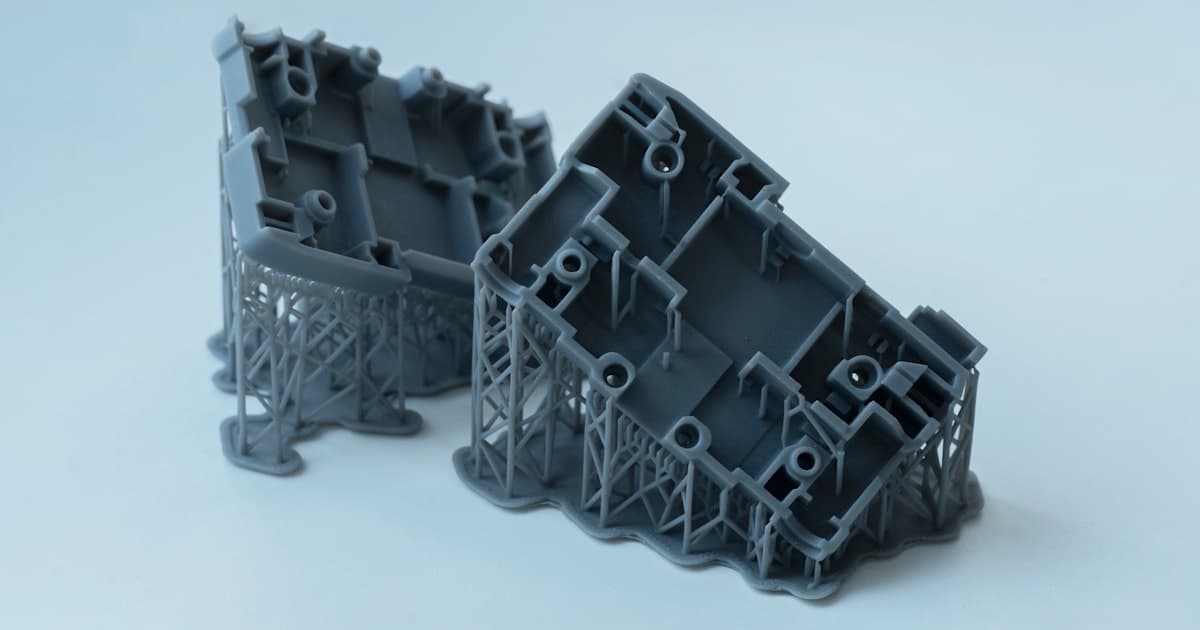
A high-power fiber laser (200–1000 W) fully melts metal powder in an inert atmosphere (argon or nitrogen), producing >99.5% dense parts. Support structures are mandatory - they anchor parts to the build plate, conduct heat, and prevent warpage from residual stresses. Post-print stress relief is required before removing parts from the plate. DMLS enables geometries impossible for CNC: conformal cooling channels, topology-optimized brackets, and consolidated assemblies.
Binder Jetting
A liquid binder is selectively deposited on metal or sand powder at room temperature - no thermal stresses during printing. Metal "green" parts are then sintered in a furnace (~2,516 °F / ~1,380 °C for stainless steel), shrinking approximately 15–20% linearly to reach 95–98% final density. No support structures are needed, and build speeds are high relative to laser-scanned AM. For sand casting, binder jetting produces complex molds and cores in a single print run.
Pro Tip
Group AM into three families first: filament (FDM), resin (SLA/DLP), and powder (SLS/MJF for polymer, DMLS/Binder Jetting for metal). Narrow the family before picking the specific process - it simplifies your first screening.
Head-to-Head Comparison
One table, seven processes, five key metrics. Use this for quick first-pass screening before diving into the detailed sections below.
This table compares all seven AM processes on the metrics that matter most for engineering decision-making. Standard tolerances assume industrial-grade machines running standard parameters - desktop machines will generally be 2–3× looser.
| Process | Std Tolerance | Surface Finish (Ra) | Min Layer Height | Key Strength | Cost Tier |
|---|---|---|---|---|---|
| FDM | ±0.010″ (0.25 mm) | 100–500 µin (2.5–13 µm) | 0.05 mm | Widest material range, largest builds | $ |
| SLA | ±0.005″ (0.13 mm) | 25–100 µin (0.6–2.5 µm) | 0.025 mm | Best surface finish, fine detail | $$ |
| DLP | ±0.004″ (0.10 mm) | 20–80 µin (0.5–2.0 µm) | 0.050 mm | High throughput for small-part batches | $$ |
| SLS | ±0.010″ (0.25 mm) | 125–300 µin (3.2–7.6 µm) | 0.06 mm | No supports, functional nylon parts | $$$ |
| MJF | ±0.008″ (0.20 mm) | 100–250 µin (2.5–6.3 µm) | 0.08 mm | High polymer throughput, isotropic | $$$ |
| DMLS/SLM | ±0.004″ (0.10 mm) | 150–400 µin (3.8–10 µm) | 0.020 mm | Full-density metal, any geometry | $$$$$ |
| Binder Jetting | ±0.020″ (0.50 mm) | 200–500 µin (5–13 µm) | 0.050 mm | High metal AM throughput, no supports | $$$$ |
Pro Tip
Cost tiers are relative: $ = FDM desktop ($1–5/hr), $$$$$ = DMLS ($80–200/hr). The actual per-part cost depends on geometry, material, and post-processing - see Section 6 for detailed cost breakdowns.
Accuracy & Surface Finish
Dimensional accuracy and surface finish are the two factors that most often determine whether you need secondary machining or post-processing.
The numbers below are from industrial-grade machines running standard process parameters. Desktop machines (FDM, SLA) are generally 2–3× worse on tolerances. "Best achievable" assumes optimized parameters and post-calibration - don't spec these on a drawing unless you've validated with your service bureau.
| Process | Standard Tolerance | Best Achievable | As-Built Ra (µin) | Post-Processed Ra | Notes |
|---|---|---|---|---|---|
| FDM | ±0.010″ (±0.25 mm) | ±0.005″ (±0.13 mm) | 100–500 | 32–100 (vapor smoothed) | Industrial machines (Fortus) are 2× better than desktop |
| SLA | ±0.005″ (±0.13 mm) | ±0.002″ (±0.05 mm) | 25–100 | 16–50 (sanded) | Best for fine features <1 mm; Z-accuracy varies with layer height |
| DLP | ±0.004″ (±0.10 mm) | ±0.002″ (±0.05 mm) | 20–80 | 12–40 (sanded) | Pixel artifacts possible on curved surfaces; highest XY resolution |
| SLS | ±0.010″ (±0.25 mm) | ±0.005″ (±0.13 mm) | 125–300 | 50–125 (bead blasted) | Warpage increases with part length; powder refresh ratio matters |
| MJF | ±0.008″ (±0.20 mm) | ±0.004″ (±0.10 mm) | 100–250 | 50–100 (bead blasted) | More uniform shrinkage than SLS; slightly smoother finish |
| DMLS/SLM | ±0.004″ (±0.10 mm) | ±0.002″ (±0.05 mm) | 150–400 | 16–63 (machined) | Post-machine all mating surfaces; as-built too rough for sealing |
| Binder Jetting | ±0.020″ (±0.50 mm) | ±0.008″ (±0.20 mm) | 200–500 | 63–200 (tumbled) | Sintering shrinkage (~15–20%) is the primary accuracy limiter |
Pro Tip
Rule of thumb: if any feature requires tolerances tighter than ±0.005″, plan for secondary CNC machining on that feature - regardless of which AM process you choose. Call out which features are "as-printed" vs. "post-machined" on your drawing.
Materials by Process
Material availability often narrows your process choice before you even consider cost or lead time. If your design requires a specific alloy or polymer grade, start here.
Each AM process is locked into a specific material family. If your design requires Ti-6Al-4V Grade 5, your only AM option is DMLS. If you need a living hinge in Nylon PA12, you're choosing between SLS and MJF. Material drives process - not the other way around.
| Process | Common Materials | Engineering-Grade Options | Key Limitations |
|---|---|---|---|
| FDM | PLA, ABS, PETG, ASA, Nylon | PEEK, PEI (Ultem), PA-CF, PA-GF, PC | Thermoplastics only; Z-axis weakness 25–50% |
| SLA | Standard, Tough, Flexible resins | Rigid 10K, High Temp (552°F / 289°C HDT), BioMed | UV degradation; limited thermal stability for most resins |
| DLP | Same 405 nm resin families as SLA | Dental Class IIa, castable, ceramic-loaded | Same resin limitations as SLA; smaller build volumes |
| SLS | PA12, PA11, TPU | PA12-GF (glass-filled), PA12-CF, FR-PA (flame retardant), PP | Limited to nylon family and select polymers |
| MJF | PA12, PA11, TPU | PA12-GB (glass bead - 30% stiffer) | HP-controlled ecosystem; fewer options than SLS |
| DMLS/SLM | AlSi10Mg, 316L SS, 17-4 PH | Ti-6Al-4V, Inconel 625/718, CoCr, Maraging Steel | Alloy selection narrower than CNC; tempers differ from wrought |
| Binder Jetting | 316L SS, 17-4 PH, sand (casting) | Tool steels, copper, bronze infiltrated | 95–98% density; limited alloy range; sintered microstructure |
Pro Tip
For prototyping, don't default to the exact production material. SLS PA12 is a great stand-in for most engineering plastics during EVT/DVT. Switch to production-representative materials only when validating mechanical performance or regulatory requirements.
FDM Filament Types & Materials Comparison
Compare FDM filament types — PLA, ABS, PETG, Nylon, PC, PEEK — across strength, heat resistance, cost, and typical applications. FDM (Fused Deposition Modeling) and FFF (Fused Filament Fabrication) are the same process.
FDM is the only 3D printing process that uses filament — a 1.75 mm or 2.85 mm thermoplastic strand fed through a heated nozzle. (FDM and FFF are the same process: FDM is Stratasys's trademark, FFF is the generic term.) Filament choice determines mechanical properties, heat resistance, chemical resistance, and cost. This table compares the most common FDM filament types for engineering applications.
| Filament | Tensile XY (MPa) | HDT (°C) | Cost ($/kg) | Print Temp (°C) | Best For |
|---|---|---|---|---|---|
| PLA | 50–60 | 55–60 | $20–40 | 190–220 | Concept models, non-functional prototypes, education |
| ABS | 40–50 | 95–105 | $25–50 | 230–260 | Functional prototypes, enclosures, snap-fits |
| PETG | 50–55 | 70–85 | $30–60 | 230–250 | Durable prototypes, outdoor use, chemical resistance |
| Nylon (PA6/PA66) | 50–85 | 70–90 | $60–120 | 250–270 | Snap-fits, living hinges, wear resistance |
| PC (Polycarbonate) | 55–65 | 125–140 | $80–150 | 270–310 | Impact resistance, transparency, high-temp enclosures |
| PA-CF / PA-GF | 70–90 | 150–180 | $100–200 | 270–290 | Stiffness, dimensional stability, tooling |
| PEEK | 90–100 | 260–315 | $400–800 | 370–420 | High-temp, chemical-resistant, high-performance |
| TPU (Flexible) | 15–40 | - | $50–100 | 220–250 | Gaskets, seals, vibration dampers, overmolds |
FDM vs FFF: same process
FDM (Fused Deposition Modeling) is Stratasys's trademark. FFF (Fused Filament Fabrication) is the generic, non-proprietary term. Both describe extrusion of thermoplastic filament through a heated nozzle — identical process, different names.
Z-axis weakness is universal
All FDM filaments exhibit 25–50% lower strength in the Z direction (build axis) vs. XY due to layer bonding. For load-bearing parts, orient the primary stress axis in the XY plane or consider SLS/MJF for more isotropic properties.
Pro Tip
For a 3D printing materials comparison, start with your constraint: heat resistance? Use PC or PEEK. Chemical resistance? PETG or PEEK. Lowest cost? PLA or ABS. Need stiffness? PA-CF or PA-GF. Match the filament to the application — don't default to PLA for functional parts.
Cost Breakdown
AM cost has three components: machine time, material consumption, and post-processing labor. Ignoring any one of them will blow your budget.
The table below shows estimated costs for a reference part: a 50 × 50 × 25 mm bracket (~30 cm³ volume) printed as a single unit vs. a batch of 50 units. Prices are approximate service bureau rates as of 2026 - your actual costs will vary with geometry complexity, material, and vendor.
| Process | Machine Rate (/hr) | Material ($/kg) | Post-Processing | Est. Cost (1 pc) | Est. Cost (50 pc ea.) |
|---|---|---|---|---|---|
| FDM (Desktop) | $1–5 | $20–50 | $0–5 | $5–15 | $3–8 |
| FDM (Industrial) | $15–40 | $100–350 | $5–15 | $25–65 | $15–35 |
| SLA | $5–15 | $80–200 | $5–20 | $20–50 | $12–30 |
| DLP | $5–12 | $80–200 | $5–15 | $15–40 | $10–25 |
| SLS | $25–60 | $50–100 | $5–15 | $30–80 | $15–40 |
| MJF | $20–50 | $50–90 | $5–12 | $25–65 | $12–30 |
| DMLS (AlSi10Mg) | $80–200 | $80–150 | $30–100 | $150–400 | $100–250 |
| Binder Jet (316L) | $30–80 | $30–60 | $20–60 | $80–200 | $40–100 |
Machine utilization drives unit cost
AM machines cost the same whether the build plate is 10% or 90% packed. SLS and MJF economics improve dramatically at high packing density - batch your parts to fill the volume whenever possible.
Post-processing is the hidden cost
For DMLS metal parts, support removal, stress relief, and machining of interfaces can add 30–60% on top of the raw print cost. SLA adds 15–30% for wash, cure, and support removal. Budget accordingly.
Material waste varies by process
FDM wastes only support material (5–15% of part mass). SLS requires a 30–50% new powder refresh ratio per build. DMLS wastes 20–30% in support structures. Binder jetting waste is minimal since the powder is unbound.
Volume crossover: polymer
For polymer parts, FDM is typically the lowest-cost option at 1–10 units. SLS/MJF becomes competitive at 50+ units because build-plate packing amortizes machine time. Above 500 units, evaluate injection molding.
Pro Tip
Always request quotes from at least two processes for pilot runs. The crossover point depends heavily on geometry - a complex part with internal channels may favor SLS even at 500 units, while a simple bracket is cheaper on FDM at any volume under 100.
Decision Matrix
Start with your most constrained requirement - material, tolerance, or surface finish - and let that drive your first screening.
Use this matrix to quickly match your application to the right process. Start with the row that matches your primary requirement, then validate against cost and lead time.
| Application | Best Process | Why | Runner-Up |
|---|---|---|---|
| Concept models (visual only) | FDM | Typically lowest-cost option for throwaway prototypes | SLA (if cosmetic finish matters) |
| High-detail prototypes | SLA | Best surface finish, features down to 0.2 mm | DLP (faster for batches) |
| Functional prototypes (polymer) | SLS | Tough nylon, no supports, snap-fits and living hinges | MJF (faster throughput) |
| Production polymer (100+ units) | MJF | High throughput with isotropic properties | SLS (wider material selection) |
| Flexible / elastomeric parts | SLS (TPU) | Best strength–flexibility balance in powder bed | FDM (TPU) or SLA (Flexible resin) |
| Investment casting patterns | SLA / DLP | Clean burnout, fine detail, smooth surface | - |
| Complex metal geometries | DMLS/SLM | >99.5% dense, widest metal alloy range | - |
| Metal production (50+ units) | Binder Jetting | Lower cost/part at volume, no supports | DMLS (if full density required) |
| Sand casting molds & cores | Binder Jetting | Complex internal passages, no hard tooling | - |
| Large parts (>300 mm) | FDM | Largest build volumes of any AM process | SLS (if nylon is acceptable) |
Pro Tip
When two processes seem equally viable, quote both and compare total program cost across your expected lifecycle volume. Factor in post-processing, inspection, and any secondary machining - not just the per-part sticker price.
Post-Processing Requirements
Every AM process requires some level of post-processing before parts are ready to use. For DMLS metal, it can add 30–60% on top of raw print cost.
Post-processing is the most frequently underestimated cost in additive manufacturing. The percentages below represent the additional cost over the raw print cost - use them for budget planning, and always confirm with your service bureau.
| Process | Required Steps | Optional Finishing | Cost Overhead |
|---|---|---|---|
| FDM | Break/dissolve supports | Sand, vapor smooth (ABS), paint, epoxy coat | +5–20% |
| SLA | IPA/TPM wash, UV post-cure, remove supports | Sand, polish, paint, clear coat | +15–30% |
| DLP | Wash, UV post-cure, remove supports | Sand, polish, paint | +15–25% |
| SLS | Depowder (compressed air), bead blast | Dye (black/blue/red), seal spray, vapor smooth | +10–20% |
| MJF | Depowder, bead blast | Dye, chemical smooth (AMT), seal | +10–20% |
| DMLS/SLM | Stress relief, wire EDM off plate, remove supports | HIP, age harden, CNC interfaces, electropolish | +30–60% |
| Binder Jetting (Metal) | Depowder, debind, sinter (24–48 hr furnace) | HIP, CNC machining, tumble finish | +40–80% |
Pro Tip
For DMLS metal parts, the post-processing chain is: stress relief → wire EDM off build plate → support removal → optional HIP → heat treatment → CNC machining of critical interfaces → inspection. Plan 1–2 weeks for post-processing alone on complex metal builds.
Common Mistakes
These pitfalls burn budget and delay schedules. Each one has real cost implications we see across hundreds of engineering programs.
Choosing FDM when surface finish matters
FDM always shows visible layer lines - even at 0.05 mm layers, staircase artifacts are noticeable on curved surfaces. If you need a cosmetic prototype for stakeholder review, use SLA or DLP. Reserve FDM for functional parts where appearance is secondary.
Assuming all "nylon" is the same
SLS PA12, MJF PA12, and FDM Nylon 6/6 have very different properties. SLS PA12 tensile strength is ~48 MPa (isotropic). FDM Nylon can reach 50–85 MPa in XY but only 30–40 MPa in Z due to layer bonding. Always check the process-specific datasheet, not just the generic material name.
Ignoring DMLS post-processing cost
Support removal, stress relief heat treatment, and CNC machining of mating interfaces can add 30–60% on top of the raw DMLS print cost. Quoting only the print cost will blow your budget by 1.5×.
Defaulting to DMLS when Binder Jetting would work
If your metal part doesn't require >99% density or tolerances tighter than ±0.020″, Binder Jetting at 97% density costs 30–50% less per part above 20 units. Evaluate both before committing to DMLS.
Not specifying build orientation for load-bearing parts
Every AM process exhibits some degree of anisotropy - properties differ between the XY plane (parallel to build layers) and the Z axis (perpendicular). For load-bearing parts, call out the critical load direction relative to the build plate in your drawing notes.
Designing below minimum wall thickness
Each process has different minimums: FDM ~1.0 mm, SLA ~0.5 mm, SLS ~0.7 mm, MJF ~0.5 mm, DMLS ~0.4 mm. Going below these causes print failures or fragile features that break during post-processing. Check process-specific design guides before finalizing geometry.
Pro Tip
Add a "Process Requirements" block to your drawing title block: target AM process, critical load direction (if any), which features are as-printed vs. post-machined, and tolerance class. This prevents assumptions from creeping into the build.
Choosing Your Process
There is no universal right 3D printing technology. The right process depends on your specific combination of material requirements, tolerance needs, surface finish expectations, volume, and budget. For most hardware programs, the decision falls into three stages:
Visual & Concept Prototypes
FDM for quick, cheap, disposable concept models. SLA when surface finish and detail matter for stakeholder reviews. Both deliver parts in 1–5 days at $5–50 per part.
Functional Prototypes & Low-Volume
SLS and MJF produce tough, engineering-grade nylon parts with no support structures. Ideal for fit-checks, functional testing, and pilot runs of 10–500 units.
Metal & Complex Geometries
DMLS for >99.5% density and critical structural parts. Binder Jetting for lower-cost production runs where 95–98% density is acceptable. Both require significant post-processing.
The right process depends on your specific part requirements. When in doubt, request quotes from two or three processes and compare total program cost - not just the per-part sticker price.
Frequently Asked Questions
Related Resources
Ready to Print Your Parts?
Upload your CAD file to compare the 3D printing route that best fits your part, timeline, and finish goals. Most quotes are returned within one business day. Quotes typically include engineer-reviewed manufacturability feedback.
Get 3D Printing Quote