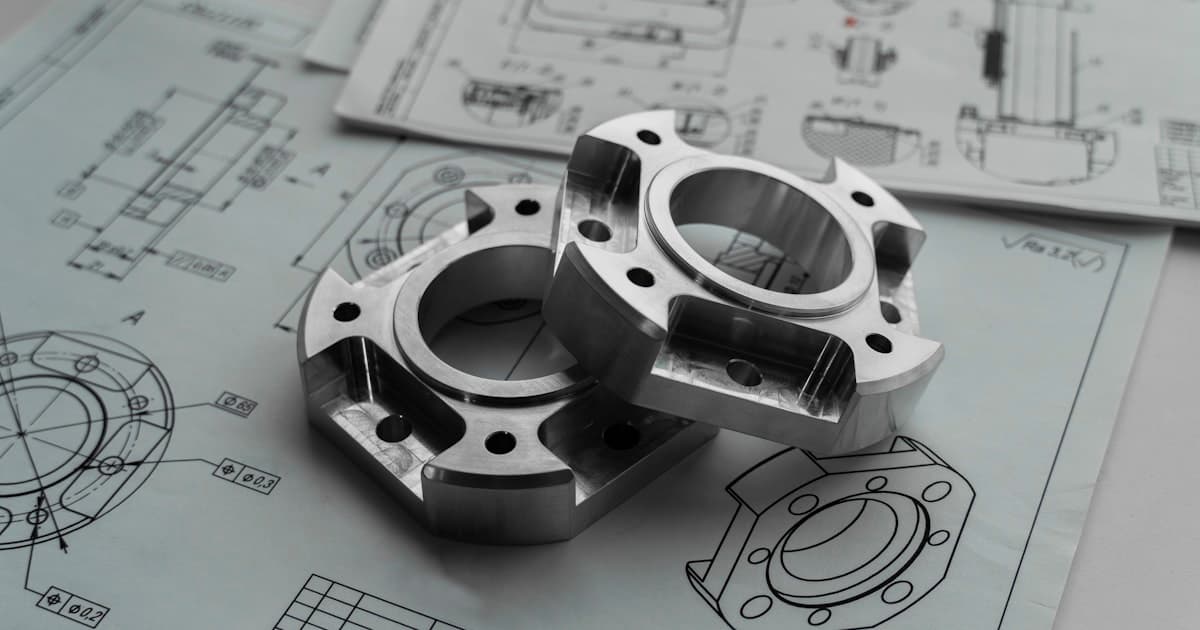
What is GD&T?
GD&T (Geometric Dimensioning and Tolerancing) is a symbolic language defined by ASME Y14.5 that specifies form, profile, orientation, location, and runout of features on a part. It uses datums as a repeatable measurement reference, material-condition modifiers such as MMC, LMC, and RFS, and tolerance zones (e.g., cylinders for position, pairs of parallel planes for flatness) instead of stacked ± dimensions. Use GD&T when parts must assemble with tight functional requirements because it often allows larger tolerance zones than ± callouts while maintaining fit, and reduces ambiguity for manufacturing and inspection.
Why GD&T Exists: The Problem with ± Tolerancing
When you need your part to assemble predictably, GD&T fixes the limits of plain ± coordinate tolerancing. Before you learn any GD&T symbols, you need to understand the problem GD&T was invented to solve. ± tolerancing has four fundamental limitations that cause rejected parts, assembly failures, and ambiguous drawings.
Square zone vs. cylindrical zone
When you locate a hole with ±0.005 in. (±0.13 mm) in X and ±0.005 in. (±0.13 mm) in Y, you create a square tolerance zone (0.010 × 0.010 in. / 0.25 × 0.25 mm). But holes are round, so what matters functionally is the radial distance from true position. A cylindrical zone of ⌀0.014 in. (⌀0.36 mm), the circumscribed circle around that square, gives you 57% more usable area than the ± square zone. GD&T position uses a cylindrical zone by default, so you get more tolerance and cheaper parts for the same functional requirement.
Tolerance stacking ambiguity
With ± dimensions, a 4-hole bolt pattern might be dimensioned from edge-to-first-hole, then hole-to-hole, then hole-to-hole, then hole-to-last-hole. Each ± tolerance stacks, and the total variation on the last hole relative to the starting edge can be 4× the individual tolerance. GD&T position references all holes to the same datum reference frame, eliminating stack-up and making the drawing unambiguous.
No way to control form or orientation
± dimensions control size and location, but they say nothing about whether a surface is flat, whether a bore is perpendicular to its mounting face, or whether a shaft is straight. A surface can be within ± tolerance on every individual dimension and still be warped, tapered, or out-of-round. GD&T adds form and orientation controls that ± cannot express.
No connection between size and location
Consider a hole that must accept an M6 bolt. If the hole is at maximum size (largest), it has more room for position error and will still assemble. ± dimensions cannot capture this relationship. GD&T's material condition modifiers (MMC, LMC) tie size to location tolerance. As the hole gets larger, the position tolerance grows (bonus tolerance), which reflects physical reality and enables functional gaging.
The bottom line
GD&T is not an academic exercise. It addresses real manufacturing problems. When a part fails assembly despite being “in tolerance” on individual dimensions, the drawing often lacked the geometric controls needed to define functional requirements clearly. The rest of this guide teaches you how.
The Building Blocks of GD&T
GD&T works by defining what feature to control, what tolerance zone is allowed, and what datums establish the measurement reference. A callout starts with a geometric characteristic such as flatness, perpendicularity, or position. It then defines the size and shape of the tolerance zone, and may add modifiers such as MMC, LMC, or RFS to show how the tolerance applies as feature size changes. When orientation or location matters, datums and basic dimensions establish the datum reference frame. Once you understand those building blocks, reading a feature control frame becomes straightforward.
How to Read a Feature Control Frame
If you can read one feature control frame, you can decode almost every GD&T callout on your drawing. The feature control frame (FCF) is the rectangle on a drawing that contains a GD&T callout. Most common single-segment FCFs read left to right and have 2–5 compartments. Once you can read one, you can decode the majority of GD&T callouts on a drawing.
Feature Control Frame Anatomy (read left → right)
| Compartment | Contains | Example | Meaning |
|---|---|---|---|
| 1st | Geometric characteristic symbol | ⌖ | Position (true position) |
| 2nd | Tolerance value (may have ⌀ prefix for cylindrical zone) | ⌀ 0.010 | Cylindrical tolerance zone of 0.010 in. (0.25 mm) diameter |
| 2nd (cont.) | Material condition modifier (optional) | Ⓜ | At MMC, bonus tolerance applies as feature departs from MMC |
| 3rd | Primary datum reference | A | Primary datum reference. Constrains 3 DOF in the standard 3-2-1 model |
| 4th | Secondary datum reference | B | Secondary datum reference. Constrains 2 additional DOF in the standard 3-2-1 model |
| 5th | Tertiary datum reference (optional) | C | Tertiary datum reference. Constrains the final remaining DOF; with A, B, and C established, the datum reference frame is fully constrained |
Reading example: position callout
“The true position of this feature shall be within a cylindrical zone of 0.010 in. (0.25 mm) diameter at MMC, referenced to datums A (primary), B (secondary), C (tertiary).” If the hole is larger than MMC, bonus tolerance applies. The zone grows by the amount the hole departs from MMC.
Reading example: flatness callout
“This surface must lie between two parallel planes 0.002 in. (0.05 mm) apart.” No datum is referenced because flatness is a form control. It describes the form of the surface independent of any other feature. The surface can be tilted or displaced; flatness does not control orientation or location.
Pro Tip
When you encounter an unfamiliar FCF on a drawing, read it aloud using this template: “The [symbol name] of this feature shall be within [tolerance value] [zone shape] [at material condition], referenced to datum [A], [B], [C].” This mechanical reading works for most common single-segment GD&T callouts and removes much of the guesswork.
MMC, LMC, and RFS: What They Mean
Material-condition modifiers tell the shop whether a geometric tolerance stays fixed or changes as a feature of size gets larger or smaller. In ASME Y14.5, no modifier means RFS (Regardless of Feature Size), so the stated tolerance applies at any produced size. MMC (Maximum Material Condition) and LMC (Least Material Condition) allow bonus tolerance as the feature departs from the specified material limit, which is why they matter for assembly clearance, wall thickness, and inspection strategy.
Modifier Comparison
| Modifier | Meaning | Bonus tolerance | Best use case |
|---|---|---|---|
| RFS | Regardless of Feature Size. The stated tolerance applies at every actual feature size. | None | Use when the geometric requirement must stay fixed regardless of hole or pin size. |
| MMC | Maximum Material Condition: smallest hole or largest pin. | Yes. Tolerance grows as a hole gets larger or a pin gets smaller. | Use when assembly clearance, interchangeability, and functional gaging matter. |
| LMC | Least Material Condition: largest hole or smallest pin. | Yes. Tolerance grows as the feature departs from the least-material limit. | Use when minimum wall thickness, edge margin, or remaining material must be protected. |
Worked example: position at MMC
Suppose a hole has a size tolerance of ø0.266–0.270 in. (ø6.76–6.86 mm) and a position callout of ø0.010 in. (0.25 mm) at MMC. The hole's MMC size is ø0.266 in. (6.76 mm). If the actual hole is produced at ø0.270 in. (6.86 mm), it gains 0.004 in. (0.10 mm) of bonus tolerance, so the allowed position becomes ø0.014 in. (0.36 mm). That is why MMC often accepts more good parts without weakening the assembly requirement.
Where to go deeper
If you want to see exactly where the modifier appears in the callout, read the feature control frame guide. For a numerical hole-pattern example showing bonus tolerance in practice, use the true position tolerance guide.
Use MMC when fit and assembly are the priority, LMC when preserving material is the priority, and RFS when the tolerance must stay fixed no matter what size the feature is produced at.
GD&T Standards
When you release your drawing, you need to name the GD&T standard so your suppliers inspect your part the same way. In the US, ASME Y14.5-2018 is the authoritative standard for dimensioning and tolerancing. It defines symbols, datum reference frames, material condition modifiers (MMC, LMC, RFS), and rules for interpretation. Internationally, ISO 1101 (with ISO 5459 for datums) is used; symbolism and defaults differ slightly. Specify the standard in your title block (e.g., “ASME Y14.5-2018”) so suppliers and inspectors apply the same rules.
Datums and Datum Reference Frames
If you choose datum order to match how your part mounts, your inspection results will track real assembly behavior. A datum is a theoretically exact point, axis, or plane derived from a datum feature (a physical surface or feature of size). A datum reference frame (DRF) is built from primary (A), secondary (B), and tertiary (C) datums in order. Choose datum features that match assembly and function: typically a large mounting face as A, a locating hole or edge as B, and a third feature as C. The order defines how the part is constrained for measurement and manufacturing; changing the order can change the tolerance zone and cost.
Datum A: the mounting face
Choose the largest, most stable surface that contacts the mating part as datum A. For a bracket that bolts to a wall, datum A is the wall-contact face. For a bearing housing, datum A is the flange face that seats against the structure. Datum A removes 3 degrees of freedom (translation in one axis + rotation about two axes).
Datum B: the locating feature
Choose a feature that constrains the part in the remaining directions after datum A, typically a locating hole, bore, pin, or edge that matches how the part is located in assembly or fixturing. For a bolt-pattern bracket, datum B is often the secondary locating hole or edge that establishes side-to-side location. In the standard 3-2-1 model, datum B removes 2 more degrees of freedom.
Datum C: the anti-rotation feature
The tertiary datum removes the remaining rotational freedom and clocks the part. A second locating hole, a slot, or an edge often serves this purpose. Not every part needs datum C. If the part is axially symmetric or orientation does not matter, two datums may suffice.
Common mistake: choosing small or flexible datums
New engineers often pick a small hole or a thin edge as a primary datum because it seems precise. But a good datum should reflect how the part is functionally mounted and be stable to inspect. Small or flexible features can increase measurement variability or make fixturing unreliable. If the part mounts on a large face, that face is often the right primary datum; if it runs on a bore, the bore may be the correct primary datum instead.
Form Controls
When your part relies on sealing, bearing fit, or flat mounting, form controls set the shape limits your process must hold. Form tolerances control the shape of a single feature and do not require a datum. Flatness constrains a surface between two parallel planes. Straightness applies to a line or axis. Circularity (roundness) constrains a cross-section between two concentric circles. Cylindricity combines roundness, straightness, and taper for a cylinder. Typical values for machined parts: 0.001″–0.005″ (0.025–0.13 mm) for flatness and straightness; 0.001″–0.003″ (0.025–0.08 mm) for circularity and cylindricity, depending on feature size and process. Use flatness for sealing or mounting faces, straightness for long edges or axes, circularity for single round cross-sections, and cylindricity when the full cylindrical surface must stay in form.
Orientation, Location, and Runout Controls
When you care how a feature points or where it lands, you need orientation and location controls tied to your datum frame. Orientation controls (parallelism, perpendicularity, angularity) relate a feature to a datum; they do not locate the feature. Location controls (position, concentricity, symmetry) define where a feature is relative to datums. Position (true position) is the most common location control: it defines a tolerance zone for a feature's center point, axis, or center plane relative to basic dimensions and datums. Position at MMC allows bonus tolerance as the feature departs from MMC, which can reduce cost and enable functional gaging. Concentricity and symmetry are used less in modern practice; position or runout are often preferred per ASME Y14.5-2018. Runout controls how a rotating surface varies relative to a datum axis and is commonly used on shafts, bearing seats, and other turned features.
| Control | Requires Datum | Typical Use |
|---|---|---|
| Parallelism | Yes | Faces parallel to mounting surface |
| Perpendicularity | Yes | Bores or faces square to datum |
| Angularity | Yes | Features controlled at a non-90° angle to datum |
| Position | Yes (typically) | Hole patterns, pins, bosses |
| Runout | Yes (axis) | Rotating parts, bearings |
GD&T Symbol Reference Table
If you are selecting callouts for your drawing, this table helps you match each symbol to the control it actually enforces. All 14 geometric characteristic symbols per ASME Y14.5-2018. Typical tolerance ranges are achievable under standard CNC machining conditions; tighter values may require secondary operations or specialized inspection.
| Symbol | Name | Category | Description | Typical Tolerance |
|---|---|---|---|---|
| ⏥ | Flatness | Form | Surface must lie between two parallel planes. No datum required. | 0.001″–0.005″ (0.025–0.13 mm) |
| ⏤ | Straightness | Form | Line or axis must lie within a tolerance zone (line or cylinder). | 0.001″–0.005″ (0.025–0.13 mm) |
| ◯ | Circularity (Roundness) | Form | Cross-section must lie between two concentric circles. No datum. | 0.001″–0.003″ (0.025–0.08 mm) |
| ⌭ | Cylindricity | Form | Combined control of roundness, straightness, and taper of a cylinder. | 0.001″–0.003″ (0.025–0.08 mm) |
| ⌒ | Profile of a Line | Profile | Each cross-sectional line element must lie within the profile tolerance band around the true profile. Without datum, controls form only; with datum, also controls orientation and location. | 0.002″–0.010″ (0.05–0.25 mm) |
| ⌓ | Profile of a Surface | Profile | The entire surface must lie within the profile tolerance band. This is the most versatile GD&T control because it can replace multiple form, orientation, and location callouts in a single FCF. | 0.002″–0.010″ (0.05–0.25 mm) |
| // | Parallelism | Orientation | Surface or axis parallel to a datum plane or axis. | 0.001″–0.005″ (0.025–0.13 mm) |
| ⟂ | Perpendicularity | Orientation | Surface or axis perpendicular to a datum. | 0.001″–0.005″ (0.025–0.13 mm) |
| ∠ | Angularity | Orientation | Surface or axis at a specified angle to a datum. | 0.001″–0.005″ (0.025–0.13 mm) |
| ⌖ | Position | Location | True position of a feature (hole, pin) relative to datums. Most common location control. | ⌀0.005″–⌀0.010″ (⌀0.13–⌀0.25 mm) |
| ◎ | Concentricity | Location | Median points of a feature coincide with datum axis. (Note: ASME Y14.5-2018 recommends position or runout for new designs.) | 0.002″–0.005″ (0.05–0.13 mm) |
| ⌯ | Symmetry | Location | Median points of a feature are symmetric about a datum plane. (Often replaced by position in modern practice.) | 0.002″–0.005″ (0.05–0.13 mm) |
| ↗ | Circular Runout | Runout | Composite control of circularity and coaxiality at each cross-section. | 0.001″–0.005″ (0.025–0.13 mm) |
| ⌰ | Total Runout | Runout | Composite control over entire surface: circularity, straightness, coaxiality, taper. | 0.002″–0.008″ (0.05–0.20 mm) |
When to Use GD&T vs ± Dimensions
Use GD&T when your part's fit or function depends on geometric relationships, not only linear size limits. Use GD&T when: (1) parts mate with other parts and fit depends on form, profile, orientation, or location, for example, bearing bores, mounting faces, pin locations, or contoured sealing surfaces; (2) you want a larger functional tolerance zone than stacked ± dimensions can provide (for example, position often gives a cylindrical zone for holes and pins); (3) you need to control form, profile, or orientation independently of size; (4) you want to enable functional gaging (e.g., position at MMC). Use ± dimensions for non-critical features, overall envelope dimensions, or when no datum relationship is needed. Avoid over-tolerancing: specify only the controls that affect function.
Need a quote on a drawing with GD&T?
Upload the print for engineer-reviewed CNC pricing. Free DFM starts after order confirmation. At that point, position, profile, datum, and material-condition callouts can be reviewed for manufacturability and cost drivers before machining starts.
Inspection and Cost Impact
The callouts you choose directly change machining cycle time and inspection cost for your part. GD&T can reduce cost when it replaces overly tight ± tolerances with a single position or profile that allows a larger zone. It can increase cost when it requires datum-referenced CMM inspection, full-surface/profile verification, multiple datums, or very tight form/orientation controls. Position at MMC often allows fixed-size functional gages in production, even when first article inspection still uses CMM. Flatness on large faces may be checked on a surface plate with an indicator or on a CMM; perpendicularity often uses a square or CMM depending on tolerance and feature size. Call out inspection method in drawing notes when it matters for first-article or lot release.
Design tip
Only specify GD&T on features that affect fit, function, or assembly. Unnecessary form/orientation callouts add inspection time and cost. For a deeper dive on tolerance levels and cost, see our CNC Tolerances Guide.
Common GD&T Mistakes New Engineers Make
If you catch these mistakes before release, you reduce RFIs, scrap, and first-article delays on your part. These are the errors that show up most often in drawing reviews. Catching them before release saves weeks of back-and-forth with your supplier.
Over-tolerancing every feature
What goes wrong: Adding flatness, perpendicularity, and position to every surface and hole turns a simple bracket into an expensive precision part. Each GD&T callout adds inspection time, whether by CMM, functional gage, or manual setup. A 20-hole pattern with position at RFS plus additional orientation controls can add 60–100 min of CMM time per part.
Wrong datum order (A, B, C)
What goes wrong: Swapping datum A and B changes how the part is constrained on the inspection fixture and can shift every measured position by the flatness error of the wrong primary datum. The shop builds fixtures based on datum order, so changing it after first article is a costly revision.
Forgetting to specify the standard
What goes wrong: ASME Y14.5 and ISO 1101 differ in default material condition (ASME defaults to RFS; ISO interpretation varies), datum simulation, and composite position interpretation. If the drawing does not specify which standard applies, the shop guesses and may guess wrong.
Using concentricity when position or runout would work
What goes wrong: Concentricity per ASME Y14.5 requires measuring the median points of a feature. That is expensive because it usually means CMM inspection with multiple cross-sections. ASME Y14.5-2018 specifically recommends position or runout for most applications because they are easier to inspect and functionally equivalent in most cases.
Calling out extra-tight form controls without functional need
What goes wrong: Per ASME Y14.5 Rule #1, the form of a feature must be within its size tolerance. If you specify a hole with ±0.005 in. (±0.13 mm) on diameter but call out cylindricity of 0.001 in. (0.03 mm), the cylindricity callout may be unnecessarily tight relative to the size tolerance, adding cost without functional benefit.
No datum on orientation or location controls
What goes wrong: Perpendicularity, parallelism, angularity, position, and runout all require datum references. A feature control frame with a perpendicularity symbol and a tolerance but no datum is incomplete and will generate an RFI from the shop. Worse, the inspector may invent a datum and the measurement becomes meaningless.